What Is a Capacitive Switch and How Does It Work?
A Capacitive Switch responds to a change in electrical charge, not to mechanical movement. Beneath its smooth surface, a conductive electrode creates a small electric field. When a finger approaches, the body alters that field and changes the measured capacitance. A controller detects this variation, compares it with a calibrated threshold, and produces an electrical output.
Touch-interface expert Bill Buxton once observed, “Touch screens are not new. They have been around since the 1960s.” His point remains relevant. The underlying principle is mature, but modern Capacitive Switch designs demand careful engineering. Electrode shape, overlay thickness, grounding, and controller sensitivity all influence performance. A glass panel and a plastic panel may require different settings. Moisture can also imitate a touch.
Small details matter.
In practical testing, engineers often check activation force, response time, false triggering, and performance with gloves. They may test a switch beside motors, displays, or long cables because electrical noise can distort the signal. Self-capacitance works well for simple buttons, while mutual-capacitance methods can support more complex touch detection.
The concept sounds simple. Real products are less forgiving.
A reliable design balances sensitivity with stability. Excessive sensitivity may create false activations. Low sensitivity may frustrate users with missed touches. This is where specifications, prototype testing, and environmental evaluation become essential. The explanation is not perfect without discussing firmware, shielding, and human factors. Still, it provides a practical foundation for understanding what a Capacitive Switch is and how it works.
What a Capacitive Switch Is and What Makes It Different
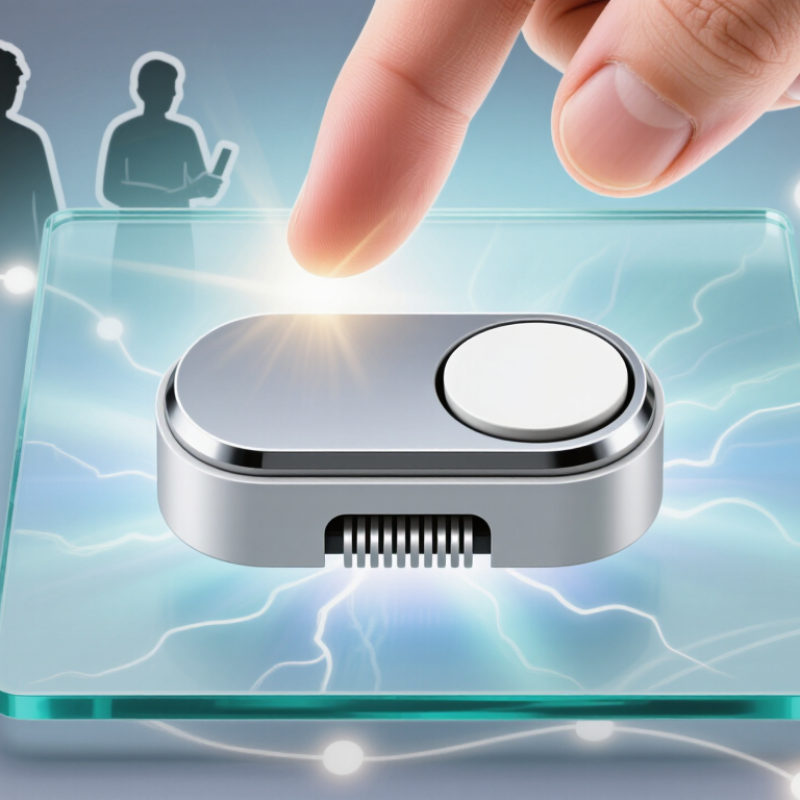
A capacitive switch detects a change in electrical charge rather than physical movement. Its sensing electrode creates a small electric field beneath a glass, plastic, or coated surface. When a finger approaches, the body absorbs part of that field and changes the measured capacitance. A controller compares this change with a programmed threshold, then sends an on or off signal. The surface may feel completely flat.
That is the key difference from a mechanical switch. There is no spring, button travel, or exposed contact to wear out. This supports sealed panels, quiet operation, and easier cleaning. It also allows designers to create backlit symbols or slim control surfaces. Grand View Research reported that the global capacitive sensors market exceeded 30 billion dollars in 2023, showing strong demand across consumer, automotive, and industrial equipment. The number is useful, but market size alone does not prove better performance.
Capacitive switches remain sensitive to moisture, gloves, nearby metal, and electrical noise. A wet fingertip can create a false signal. A thick glove may create no signal at all. Engineers usually tune thresholds and test products against electromagnetic and electrostatic conditions described in IEC 61000 standards. In practice, this testing matters more than a sleek demonstration unit. A switch can pass a laboratory test and still feel unreliable in a cold, wet workshop. That limitation deserves more attention.
The Basic Structure and Sensing Elements Inside a Capacitive Switch
A capacitive switch is built around a layered sensing stack. A typical structure includes a protective overlay, conductive electrode, dielectric layer, and controller circuit. The electrode may be copper, printed ink, or transparent conductive film. Its shape defines the active touch area.
The sensing element detects changes in capacitance, not mechanical movement. With self-capacitance, one electrode senses the added electrical charge from a nearby finger. Mutual-capacitance designs use paired transmitting and receiving electrodes. A finger disturbs their electric field. The controller measures that change through charge transfer, frequency shift, or an RC timing circuit. Small details matter.
The overlay must remain thin enough for reliable detection. A thick glass panel can weaken the signal. Moisture, gloves, wiring, and nearby metal can also create false readings. Guard electrodes and shielding help isolate unwanted noise, but they do not solve every installation problem. MarketsandMarkets reported an estimated capacitive sensor market growth rate of roughly 8% annually in its 2024 industry forecast. That growth reflects wider use in appliances, vehicles, industrial controls, and medical interfaces. Mordor Intelligence also identifies consumer electronics and automotive systems as major demand areas. These reports provide useful direction, although market boundaries differ between studies. A practical design still needs testing under real humidity, pressure, and glove conditions. Theory alone is not enough.
What Is a Capacitive Switch and How Does It Work?
Ideal capacitance of a 1 cm² sensing electrode as the distance to a conductive target changes. The calculation uses the parallel-plate relation C = ε₀A/d with air as the dielectric.
A capacitive switch typically contains a conductive sensing electrode, an insulating overlay, a reference or ground, and a controller. When a finger or conductive object approaches the electrode, the electric field and measured capacitance change. Real switch readings also depend on electrode shape, overlay thickness, humidity, grounding, and nearby materials.
How Touch Changes an Electrical Field and Triggers a Response
What Is a Capacitive Switch and How Does It Work?
How Touch Changes an Electrical Field and Triggers a Response
A capacitive switch detects touch by sensing a change in an electrical field. Under its surface, a conductive pad holds a small electrical charge. The surrounding field remains stable until a finger approaches. The human body then adds electrical capacity to the circuit. This changes the signal measured by the control circuit.
The process feels instant. It is not mechanical. No physical button needs to move. A controller continuously checks the pad’s capacitance and compares it with a stored reference level. When the difference reaches a programmed threshold, the controller sends a response. That response might activate a light, start a motor, or change a setting.
In practical testing, surface materials matter greatly. Glass, plastic, moisture, and protective films can affect sensitivity. A wet finger may create a stronger signal, while thick gloves may block it. Nearby metal can also distort the electrical field and cause false triggers. Engineers usually adjust sensitivity, timing, and filtering during calibration. Yet calibration is not perfect. Temperature, humidity, and installation differences can still produce unexpected behavior. I have found that a switch working well in a dry room may respond differently near water or grounded equipment. Careful testing under real conditions remains essential.
The Signal-Processing Steps from Touch Detection to Device Control
What Is a Capacitive Switch and How Does It Work?
The Signal-Processing Steps from Touch Detection to Device Control
A capacitive switch detects changes in an electric field near a conductive sensing pad. A finger adds conductive mass and slightly changes the pad’s capacitance. The sensing circuit measures this variation through oscillation frequency, charge time, or voltage. No mechanical movement is required. The surface can remain smooth and sealed.
The signal then enters a processing chain. An analog front end captures small electrical changes, while an analog-to-digital converter creates measurable samples. Filtering removes power-line noise, radio interference, and sudden spikes. The controller compares each sample with a moving baseline. A threshold indicates possible contact, while hysteresis prevents rapid on-and-off switching near that limit. Debouncing adds a short confirmation period, often several milliseconds.
The result becomes a logical touch event. A firmware state machine may classify it as press, release, hold, or repeated input. The controller then sends a command to a relay, indicator, motor, or software function. In practical testing, a dry finger and a wet finger rarely produce identical signals. Temperature, nearby metal, gloves, and panel thickness also shift the baseline. That part is easy to underestimate. Engineers should record real measurements, not trust a perfect laboratory trace. Even a well-tuned threshold can fail when installation conditions change. A slower adaptive baseline may improve reliability, but it can also mistake a long touch for normal behavior. Calibration needs judgment.